
How to fix it – “Please check the pressure of the protective gas!”
When using a handheld laser welding machine with cleaning function, some users may encounter an air pressure alarm after switching from laser welding mode to laser cleaning mode.
“Please check the pressure of the protective gas! After confirming, click ‘OK’ to cancel the alarm.”
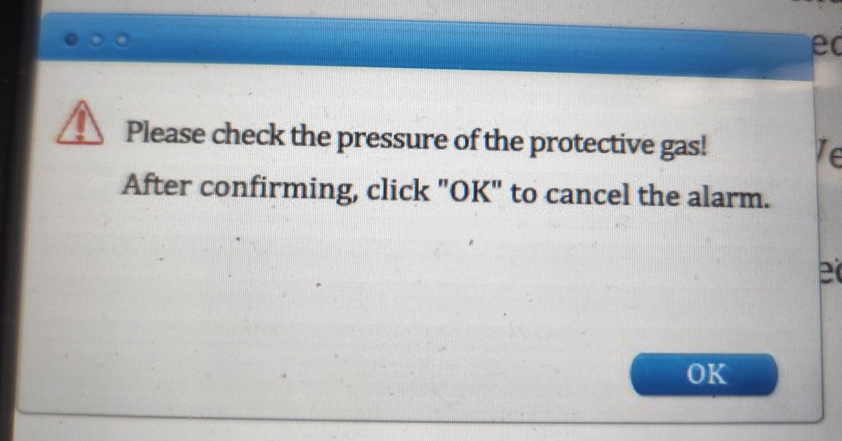
This issue is common and can usually be solved within one minute by adjusting the system settings.
This is not a hardware fault, but simply a parameter mismatch between working modes.
Problem Description
After the machine switches from welding mode to cleaning mode, a pressure alarm will be displayed on the machine’s control panel during operation.
This alarm may prevent the machine from starting or interrupt normal operation.
How to Fix the Air Pressure Alarm
Follow the steps below to adjust the pressure alarm setting:
- Go to Setting
- Enter password: 123456
- Select Pressure Alarm Level (If the setting is High, change it to Low; if it is Low, change it to High)
- Click Save
- Click Return to exit.
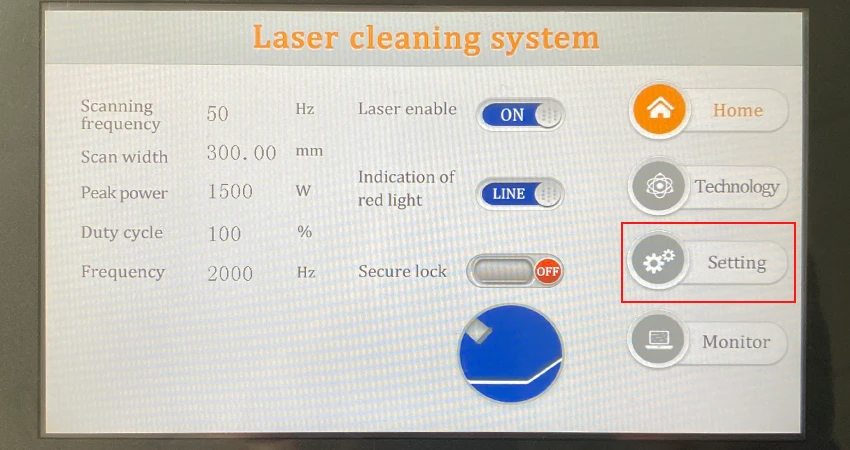
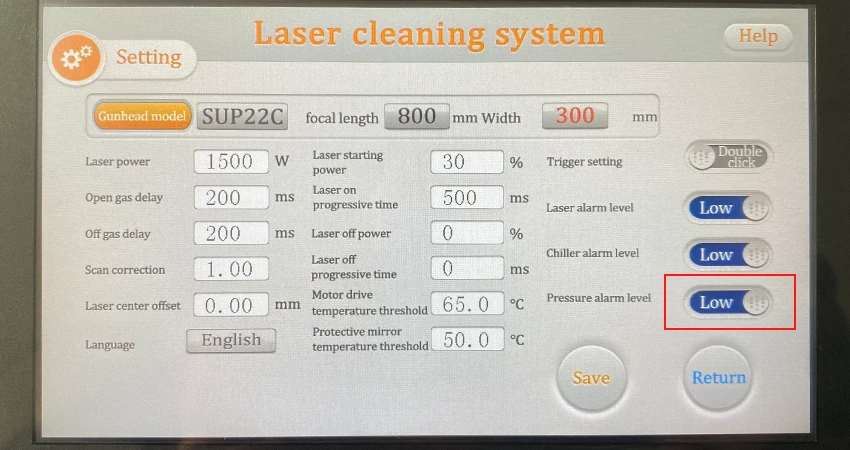
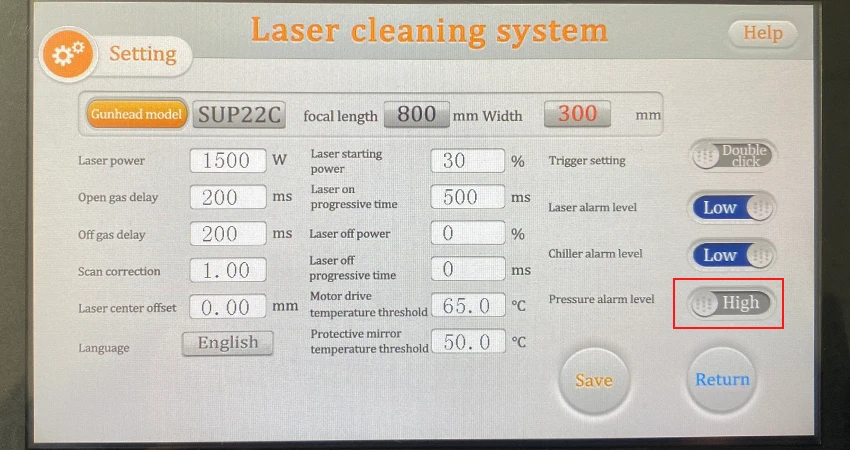
After completing these steps, the air pressure alarm should be cleared and the machine can operate normally in cleaning mode.
If the problem persists after adjusting the settings, please contact our technical support team.
support@triumphlaser.com
 Triumphlaser